In my last devlog, I talked about choosing the right engine for Project Pinecone. But I’m often asked by people: „How and where do you actually start when making a game?“
For me, the answer was simple: The first step is learning.
I needed to learn Godot and since I’m a practical learner, I looked for tutorials that were as close as possible to what I wanted to achieve with my game. Luckily, finding tutorials today isn’t difficult. I used the same source as most people: YouTube.
I was surprised by how many tutorials are available and how good some of them actually are. Of course, they won’t show you how to build a complete game from start to finish but many provide valuable insights, especially when you’re still learning your tools.
In my case, I searched specifically for tutorials on 2D Farming RPGs in Godot. One tutorial I want to explicitly mention is the one from Rapid Vectors. It’s quite complex and taught me a lot.
Another YouTube channel worth mentioning is DevWorm. He has a very straightforward approach to problem-solving and offers plenty of useful tips and insights.
I don’t know who they are in real life but I’d like to give them a shout-out and a big „thank you!“ for their great tutorials!
Let’s be honest: YouTube tutorials probably won’t teach you everything you need to know to make a professional video game – but these two alone gave me a great head start with Godot and that’s worth a lot!
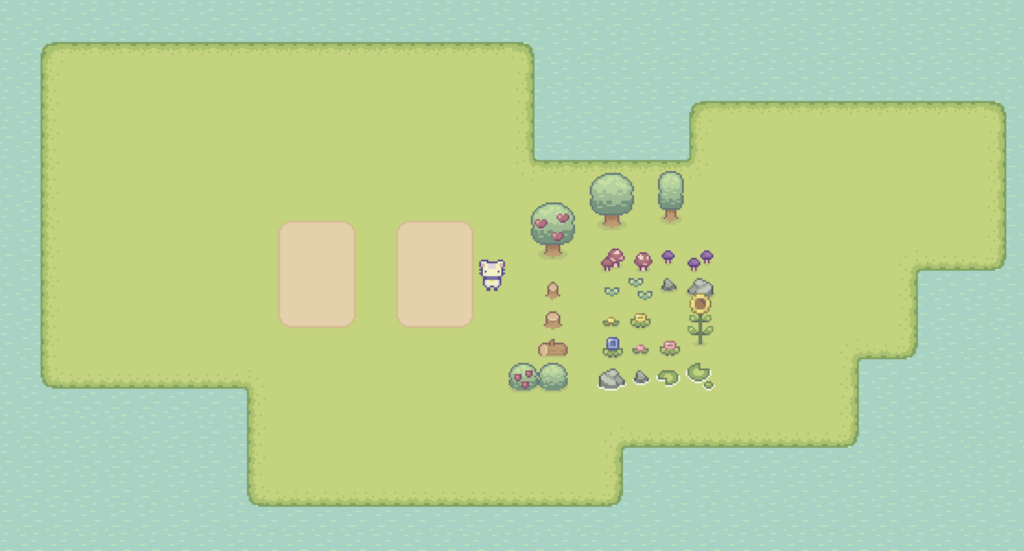
Screenshot of my tutorial project from Rapid Vectors
Another topic that often comes up is: „I can’t draw. How can I make a video game without graphics?“ My answer: You don’t have to. Just use existing graphics.
You don’t even need ugly placeholders. Thanks to platforms like itch.io, you can find excellent assets either for free or at a very low cost. It’s amazing what kind of asset packs you can get for €5–50. If you’re serious about making games that’s a very reasonable investment. You can replace them later in production with professionally created assets but for starting prototyping these assets are more than sufficient.
As a visual learner (like me), these assets helped me exploring different options in art direction and experiment with technical aspects, such as setting up tilemap layers, implementing assets, and working with sprite sheet animations. Over time, I bought several smaller asset packs that helped me gain clarity and improve my workflow.
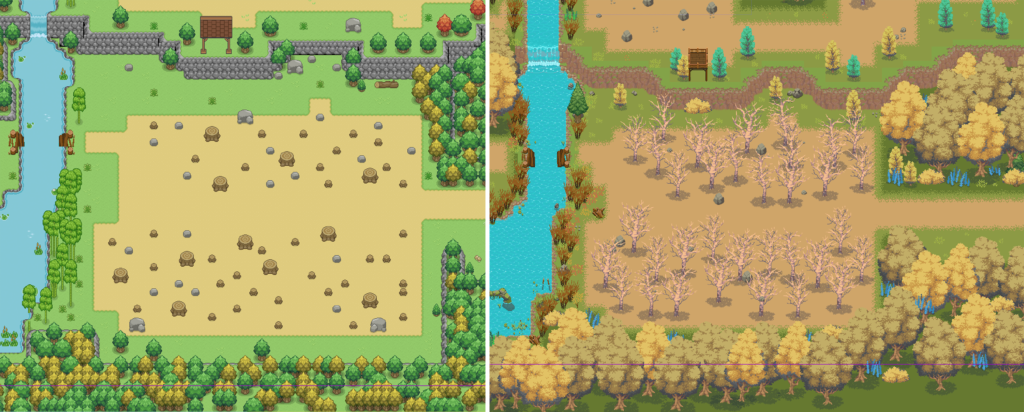
The same test scene with two different asset packs purchased at itch.io
As mentioned in my last devlog, Godot is free. So overall, starting game development has never been easier: Free software, free or affordable assets, and countless free tutorials. All just a few clicks away.
Not many years ago, this wouldn’t have been possible. Game engines required expensive licenses that only companies could afford. Specialized tools were costly and often required years of experience and training to use effectively. Today, the barrier to entry is lower than ever.
But as with everything, starting is one thing – sticking with it and eventually finishing a project is another.
With this spirit, I’ll continue working on Project Pinecone and I hope this devlog was interesting (or maybe even motivating) for you to explore game development yourself. If it helped in any way, I’d be really happy.